
Some 45 services (ever growing number) on Proxmox, standardized into a single Compose template pattern. Three years, two full migrations, and the groundwork for moving the whole thing to Kubernetes.
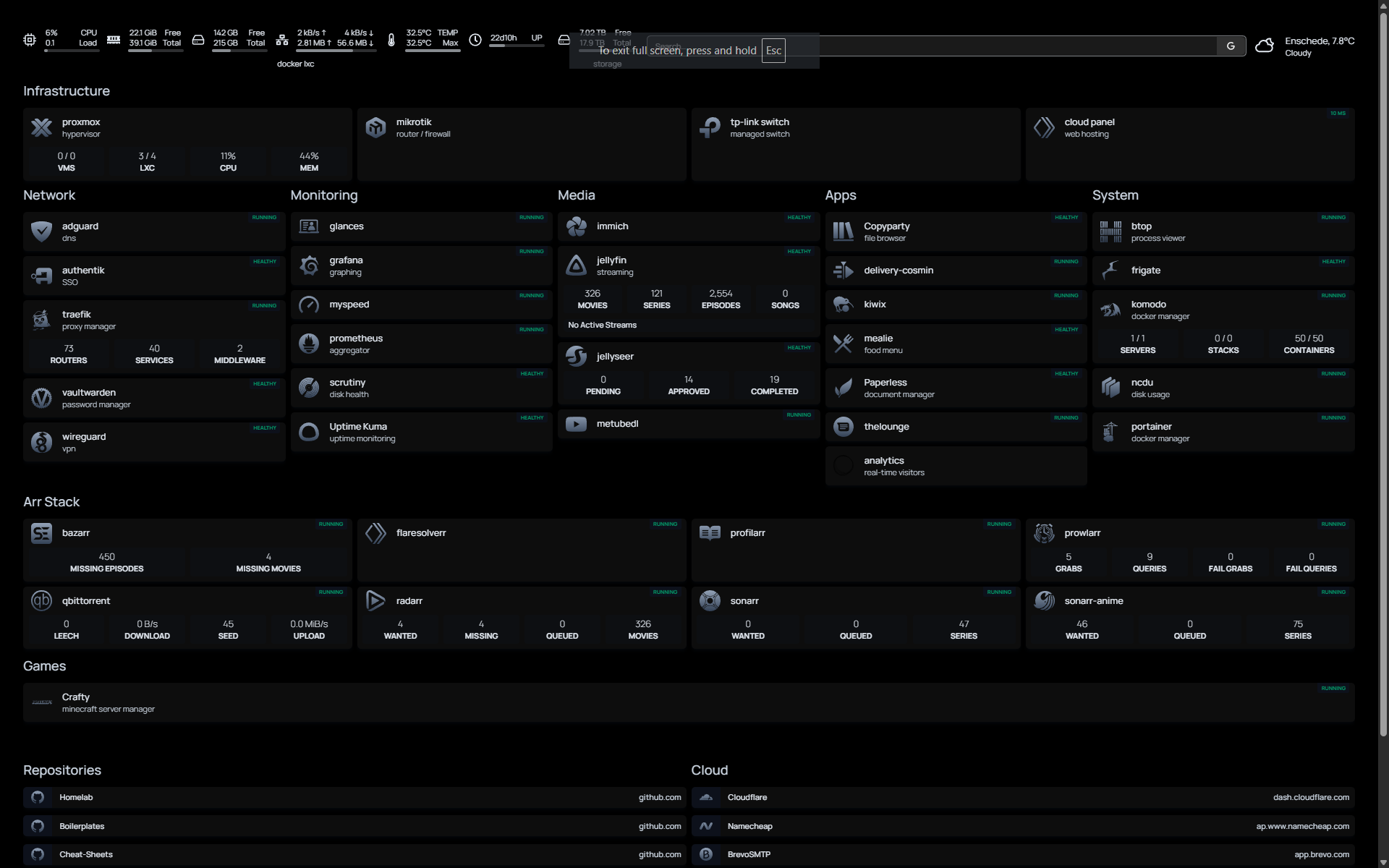
| traefik Reverse proxy |
wg-easy WireGuard VPN |
authentik Identity provider / SSO |
crowdsec Intrusion detection |
| adguard DNS ad blocking |
jellyfin Media server |
plex Media server (alt) |
jellyseer Media request manager |
| radarr Movie management |
sonarr TV show management |
sonarr-anime Anime TV management |
bazarr Subtitle management |
| prowlarr Indexer manager |
qbittorrent Torrent client |
flaresolverr Cloudflare bypass |
huntarr Media hunting automation |
| profilarr Quality profile manager |
immich Photo management / Google Photos alt |
frigate NVR / camera AI detection |
homepage Dashboard |
| portainer Docker management UI |
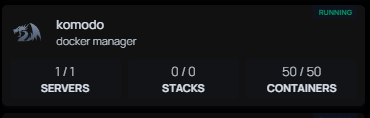
komodo Container/deployment manager |
grafana Metrics dashboards |
prometheus Metrics collection |
| scrutiny Disk health monitoring |
mealie Recipe manager |
copyparty File sharing server |
kiwix Offline content |
| thelounge IRC web client |
myspeed Speed test tracker |
crafty Minecraft server manager |
glances System monitor |
| btop Resource monitor |
ncdu Disk usage analyzer |
metubedl yt-dlp web UI |
the hardware
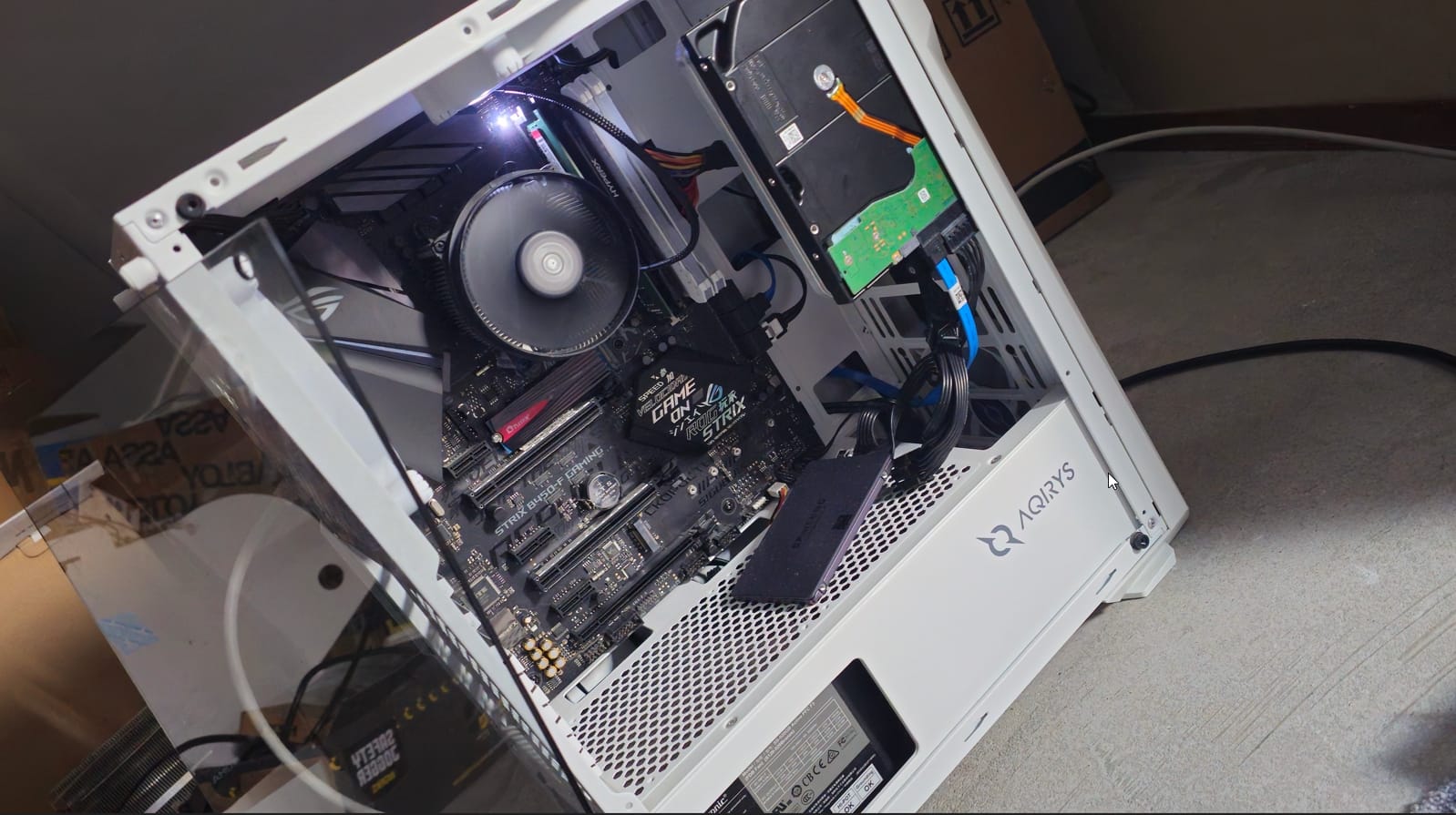
Nothing fancy. The whole thing runs on a single Proxmox VE node:
- CPU: AMD Ryzen 5 1600 – six cores, twelve threads, first-gen Zen. Ancient by 2026 standards and still more than enough.
- RAM: 40 GB DDR4.
- Boot / root: NVMe with ZFS.
- Bulk storage: 1.8 TB SSD (
/ssd) + 16 TB HDD for media and backups. - Network: MikroTik RB2011 as the edge router, TP-Link TL-SG108E for the switch, self-terminated Cat6 running through the walls.
Of course, this is my previous desktop PC, converted to a fun thing to play with.
why self-host at all
Because cloud subscriptions add up, because I learn more in a weekend of breaking things than a month of tutorials, and because I want my photos, my notes, my media, and my passwords to live on hardware I can physically touch. The honest answer is that it's fun. Both are true.
I started this in 2023 on an old desktop I wasn't using anymore. It hasn't stopped growing since.
how it's laid out
Proxmox hosts two LXC containers that do 95% of the work:
- CT for web / public stuff: CloudPanel, running the Ghost instances for hexie.dev and imeanit.nl.
- CT for the Docker stack: everything else – all ~45 services, one
docker-compose.ymlto rule them. (get that ref?) - a few more CTs for testing (like openclaw, dont expose this lil guy!)
- a VM for the future k3s homelab
The rest of the node runs smaller utility CTs (backup targets, test environments, the occasional throwaway VM when I'm trying something destructive).
the stack
Grouped by what they actually do for me:
Entry and identity Traefik reverse-proxies everything with automatic Let's Encrypt certs. Authentik sits in front as the SSO / identity provider. WireGuard (via wg-easy) is the only way in from outside. CrowdSec watches the logs and blocks the inevitable background noise, the public internet is a very loud place.
DNS AdGuard Home, because DNS-level ad blocking is the single biggest quality-of-life upgrade you can give a household network.
Media Jellyfin is the main server; Plex is there as a backup for family members who refuse to install a new app. Jellyseerr handles requests. The arr stack does its thing: Radarr for movies, Sonarr for TV, a second Sonarr for anime, Bazarr for subtitles, Prowlarr as the indexer manager, qBittorrent as the client, and FlareSolverr when Cloudflare gets in the way. Huntarr and Profilarr handle automation and quality profiles.
Photos and files Immich for photos, the Google Photos replacement I didn't know I was allowed to have. Paperless-ngx for documents. Copyparty for quick file sharing. Vaultwarden for passwords.
Home and cameras Frigate as the NVR, doing object detection on the camera feeds. Recently upgraded from jsmpeg to MSE/WebRTC via go2rtc, which made the live views actually usable.
Dashboards and monitoring Homepage as the landing dashboard. Prometheus scrapes, Grafana visualizes, Loki stores the logs, Uptime Kuma pings everything and yells when something dies. Scrutiny watches the drives. Glances and btop for when I want to SSH in and look at numbers.
Small things I use constantly Mealie for recipes. Mealie is my favourite underdog in this whole stack. Komodo and Portainer for when I want a UI on top of Docker. Kiwix for offline Wikipedia. The Lounge for IRC. MySpeed to track whether my ISP is lying to me (they are). Crafty to spin up a Minecraft server when friends feel nostalgic. MeTube for yt-dlp.
Mail SMTP is handled by Brevo, used by basically everything in the stack that needs to send a notification. I set it up once, and every service that can take an SMTP host now reaches me the same way.
standardization work
This is the part I'm actually proud of.
For the first two years, my docker-compose.yml was an archaeological dig. Every service had a slightly different label style, different env var conventions, different ways of declaring the Traefik router. It worked, but adding a new service meant copy-pasting a hundred lines from whichever existing service looked closest and then grep-replacing names until things stopped breaking.
So I sat down and standardized the whole thing around three YAML anchors:
x-traefik-labels: &traefik-labels
  traefik.enable: "true"
  traefik.http.routers.SERVICE.rule: "Host(`sub.domain.tld`)"
  traefik.http.routers.SERVICE.entrypoints: "websecure"
  traefik.http.routers.SERVICE.tls.certresolver: "letsencrypt"
  traefik.http.services.SERVICE.loadbalancer.server.port: "PORT"

x-homepage-labels: &homepage-labels
  homepage.group: "GROUP"
  homepage.name: "NAME"
  homepage.icon: "ICON"
  homepage.href: "URL"

x-kuma-labels: &kuma-labels
  uptime-kuma.http.name: "NAME"
  uptime-kuma.http.url: "URL"
Every service then pulls from the relevant anchors and overrides what it needs to. Each service also has its own .env file so secrets and per-service config never leak into the main compose file or into git.
The gotcha is that Docker Compose interpolates environment variables inside label values but not inside label keys. You can't do traefik.http.routers.${SERVICE}.rule. The router key has to be hardcoded per service. The rest of the label can use env vars freely, but that one part has to be spelled out. I know this because I spent far too long wondering why Traefik was silently ignoring half my routes.
The whole thing now lives at github.com/hexiejexie/homelab, with a HOMELAB.md documenting the structure and a Mermaid architecture diagram in the README.
two things that broke recently
Proxmox kernel upgrade to 6.17.x. Went smoother than expected. ZFS snapshot before, reboot, pray, and everything came back. The snapshot is the only reason I'm willing to touch the kernel on a machine that's serving things I care about.
CT 1337 backup failure. One of my container backups started failing because the target pool didn't have enough space. The fix ended up being embarrassingly simple: I added /ssd (the 1.8 TB SSD) as a new Proxmox Directory storage target and pointed the backup job at it. Done. The lesson, as always, is to actually read the error message instead of assuming the problem is more complicated than it is.
what next
The whole reason I standardized everything into a consistent Compose template was to prepare for the real move: Kubernetes. Specifically k3s on Proxmox, with FluxCD handling GitOps, and the whole stack migrated service by service in six phases starting with the stateless stuff (arr apps, Homepage, the dashboards), then monitoring, then media, then the stateful services (Immich, Paperless, Vaultwarden), and finally flipping the DNS and retiring the Compose file.
That migration deserves its own post, or probably several. I'll write them as I go, the same way I'm writing this one after the fact, once I know which parts worked and which parts I regret.
If you're thinking about starting your own homelab: don't plan it first. Plug in the box, install Proxmox, spin up Jellyfin, and let it grow from there. Every single service in my stack got added over time because I wanted a specific thing that week, not because I drew up an architecture diagram in advance. The architecture came later, once the chaos demanded it.
The footer of this site reads "to a great mind, nothing is little". The homelab is mostly how I practice that.