update: v0.2.0 is up now
I had a Discord bot. It did one thing: told me my public IP when I asked. It was a single Python file, ran in a screen session on my Proxmox docker host, and had been there for long enough that I had stopped thinking about it. Classic homelab move. Works, ignore it, move on.
But "works" is not the same as "looks like something a person who wants a DevOps job would put on their GitHub." The bot had become a quiet reminder that I had real infra skills sitting next to a piece of code that would embarrass me if anyone clicked through to it. So I rebuilt it from scratch, on purpose, as a showcase project. Same basic idea, but wearing a 🤵 (suit emoji).
This post is about the rebuild. It covers the architecture I landed on, the Docker pipeline, the GitHub Actions workflow that publishes multi-arch images to GHCR on every push and every tag, and the handful of small decisions that took the project from "a script" to "something I would genuinely link on a CV."
what I wanted
First, the project had to look like a real project. Clean repo layout, pinned dependencies, multi-stage Dockerfile, working CI/CD, semver releases, a readme that actually explains what the thing is. The kind of thing that gets you thinking "yeah, this person ships." 😅
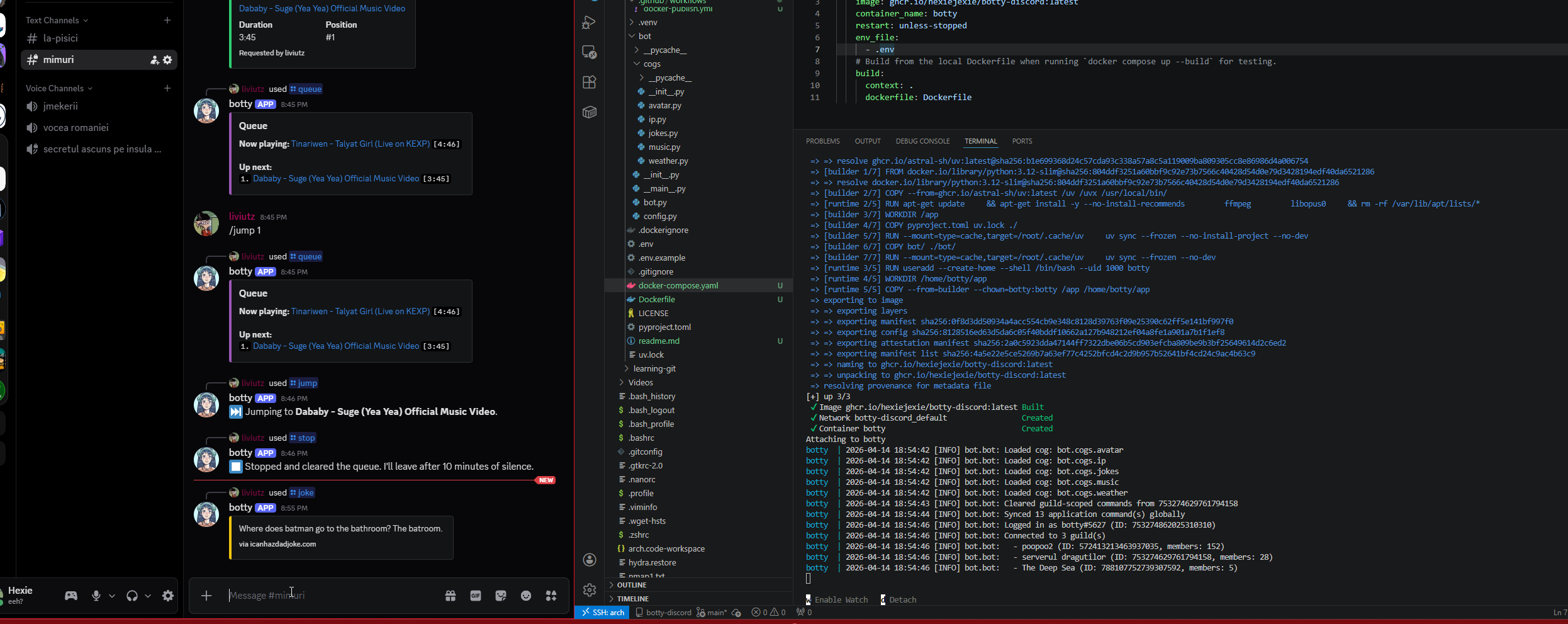
Second, the bot had to be genuinely useful to me personally. I already have the IP command, I use it, I want to keep it. But while I was in there I may as well add the obvious small-Discord-bot features: play music in voice channels, pull a random joke, enlarge avatars, check the weather somewhere. Nothing revolutionary, just a solid base of features that proves the architecture can hold more than one thing.
Everything else was a function of those two goals.
language and framework
Stayed on Python with discord.py. The existing bot was already Python and I had no reason to switch. discord.py is mature, well-maintained again after its brief hiatus, and every feature I wanted maps cleanly onto it. Voice support is built in, slash commands are a first-class citizen, the cog system gives me a natural modularity boundary. Switching languages would have been a rewrite for no real payoff.
One small thing I did change: I moved from pip and requirements.txt to uv. If you have not used it yet, uv is Astral's new Python package manager, written in Rust, dramatically faster than pip, lockfile-based, and it handles virtualenvs and Python version management too. My pyproject.toml plus uv.lock replaces the whole old pip workflow and builds in Docker are noticeably faster because of how well it caches.
architecture: cogs
discord.py has a concept called cogs, which are basically self-contained feature modules. Each cog is a Python class that holds some commands and event handlers, and the bot loads cogs at startup. This is the idiomatic way to structure any discord.py bot past the toy stage, and it was the single most important decision in this rebuild.
The layout I ended up with:
bot/
  __main__.py       entry point, `python -m bot`
  bot.py            Bot subclass, cog autoloader, slash sync
  config.py         pydantic-settings config from .env
  cogs/
    avatar.py
    ip.py
    jokes.py
    music.py
    weather.py
The important trick is that bot.py does not import any specific cogs. Instead, on startup it scans bot/cogs/ for any .py file and loads it as an extension. So adding a new feature is one file in the cogs directory, zero edits to the core. No central registry, no import list to maintain. You want a new command, you write a new cog, it shows up.
Another thing I am glad I did: configuration through pydantic-settings. Instead of a pile of os.environ.get calls scattered through the code, there is one Settings class that declares every environment variable with its type and default. It reads from .env automatically, validates on startup, and fails loudly if anything required is missing. The config file also ends up being self-documenting, which is nice for anyone reading the repo.
slash commands only
I made a decision early on to go all-in on slash commands and drop the classic prefix commands entirely. No !joke, only /joke. This was not an obvious call. Prefix commands still work, plenty of bots still use them, and there is muscle memory involved.
But slash commands have real advantages. The Discord client provides argument parsing, type validation, autocomplete, and per-command descriptions in the UI. For a command like /avatar user:@someone server:true, the user sees exactly what arguments exist and what they do before they submit. That is strictly better than !avatar @someone --server and a guessing game.
More importantly, slash commands can respond ephemerally, meaning only the invoking user sees the response. For /ip this is critical. The whole point of the command is to show me my public IP, and I do not want it leaking to anyone else who happens to be reading the channel. A prefix command cannot do ephemeral responses at all. I briefly considered a hybrid approach where both invocation styles work, but maintaining a second path for every feature was clutter I did not need.
the /ip gate
The IP command is the one piece of the bot where access control actually matters. Everything else can be called by anyone. /ip, on the other hand, returns the public IP of the box the bot runs on, which is my homelab. I want to see it. I do not want anyone else in a guild I am in to see it.
The gating logic ended up being simple: the command checks whether the invoker's Discord user ID matches the configured OWNER_ID from .env, or whether they are a member of the configured ALLOWED_ROLE_ID in a guild. If neither is true, the command refuses. And critically, if neither variable is set at all, the command still refuses. Fail closed. You have to explicitly allow access for the command to do anything.
The response itself is always ephemeral, so even if somehow the wrong person ran it in a channel, the output would only be visible to them. Belt and suspenders.
One small detail worth mentioning: I enabled Discord's "user install" option for the bot, which is a relatively new feature. A user-installed bot's commands follow the user around Discord instead of being bound to a specific guild. So /ip works in DMs with the bot, in any server I am in (as long as the bot is there too), or even in DMs with other people. It is the right UX for a personal ops command, and it completely removes any reason to ever run /ip in a public channel.
the music cog
This was the biggest single piece of code in the project. I went in knowing it would be, and I tried to do it properly instead of cobbling together the smallest thing that would play a song.
The design I landed on is a per-guild state machine. Each guild has its own GuildMusicState object containing a queue, a reference to the currently playing track, and an asyncio task that runs a player loop. The player loop is an infinite async coroutine that pulls the next track from the queue, starts ffmpeg via discord.FFmpegPCMAudio, waits for it to finish, and repeats. When the queue is empty it waits on an event that fires either when a new track is added or when a timeout expires.
The two-event design is what gave me the clean auto-disconnect behavior I wanted. The rule I set for myself was: if nothing has been playing for ten minutes, leave the voice channel. No background timer task, no separate cleanup logic. The player loop itself handles it. When the queue drains, the loop enters its idle wait on an asyncio Event with a 10-minute timeout. If a new track comes in, add_track sets the event and the loop wakes up to play it. If the timeout expires first, the loop disconnects and exits cleanly. Same code path handles both cases, which made the state machine a lot easier to reason about than I expected.
The command surface ended up larger than I originally planned because once the foundation was there it was obvious what was missing. /join connects to voice without playing anything. /play queues a track (YouTube URL or search query). /queue shows what is playing and what is next. /nowplaying shows detail on the current track. /skip skips. /stop clears the queue but stays connected, so the bot is still there if I want to keep using it. /leave disconnects and cleans up. And because I caught myself wanting it while testing, /jump <position> to jump to a specific track in the queue and /remove <position> to pull a track out without playing it.
Two things worth noting about the music cog specifically. First, yt-dlp is synchronous and its network calls can take several seconds, so it runs inside asyncio.to_thread to avoid blocking the event loop. Second, the _after callback that discord.py uses to signal end-of-track runs in ffmpeg's thread, not the asyncio event loop's thread. Setting an asyncio Event from an arbitrary thread is a bug waiting to happen, so the callback uses loop.call_soon_threadsafe to schedule the event-set safely. These are small details, but they are the difference between a music bot that mostly works and one that has weird intermittent hangs in production.
I considered Lavalink, which is the "proper" way to do Discord music bots at scale. It runs as a separate Java service, handles audio processing outside your bot, and supports seeking, filters, and other things that are hard to do with raw ffmpeg. But for a personal bot running in one or two servers, it is overkill. Another service to deploy, another dependency to manage, more moving parts. yt-dlp plus ffmpeg is genuinely fine for this use case, and if it ever is not, swapping in wavelink (the discord.py Lavalink client) is a local change to the music cog only. The cog boundary is the whole point.
containerizing
The Dockerfile is multi-stage. Stage one is a python:3.12-slim builder that installs uv, copies pyproject.toml and uv.lock, runs uv sync to build the virtualenv, then copies the source. Stage two is a fresh python:3.12-slim runtime that apt-installs ffmpeg and libopus0, creates a non-root user, and copies the built venv and source from stage one. The final image does not have uv, does not have compilers, does not have any of the build-time junk. Only what is needed to run.
A few things worth mentioning because I had to look them up or got bitten by them.
libopus0 is required for discord.py's voice support. It is loaded dynamically at runtime via ctypes, so if it is not on the system you do not get an error at import time. You get silent failures when you try to join a voice channel. I knew to include it because I have been burned by this before. If you are reading this and building your own voice-enabled bot, do not forget libopus.
The build uses BuildKit cache mounts for uv's download cache. This means across builds, even across CI runs, uv does not re-download wheels it has already seen. Combined with the two-step dependency install (install deps first, copy source second), iteration on cog code does not invalidate the dependency layer. Rebuilds after a cog change take about 30 seconds instead of several minutes.
The runtime stage runs as a non-root user called botty. Cheap, easy, reduces blast radius if anything ever goes wrong. No reason not to.
I also added the standard OCI image labels, specifically org.opencontainers.image.source pointing to the GitHub repo. When GHCR sees this label, it links the container package to the source repository, so the package page on GitHub knows which repo it belongs to and can inherit the readme automatically. These labels are standardized under the Open Container Initiative, which is the Linux Foundation body that owns the image format spec now. They are not strictly required, but they make the image look like a real image when you browse it on the registry.
ci/cd: one workflow, two triggers, four tag strategies
This is the part I am happiest with. 😅I really wanted to get ci/cd well.
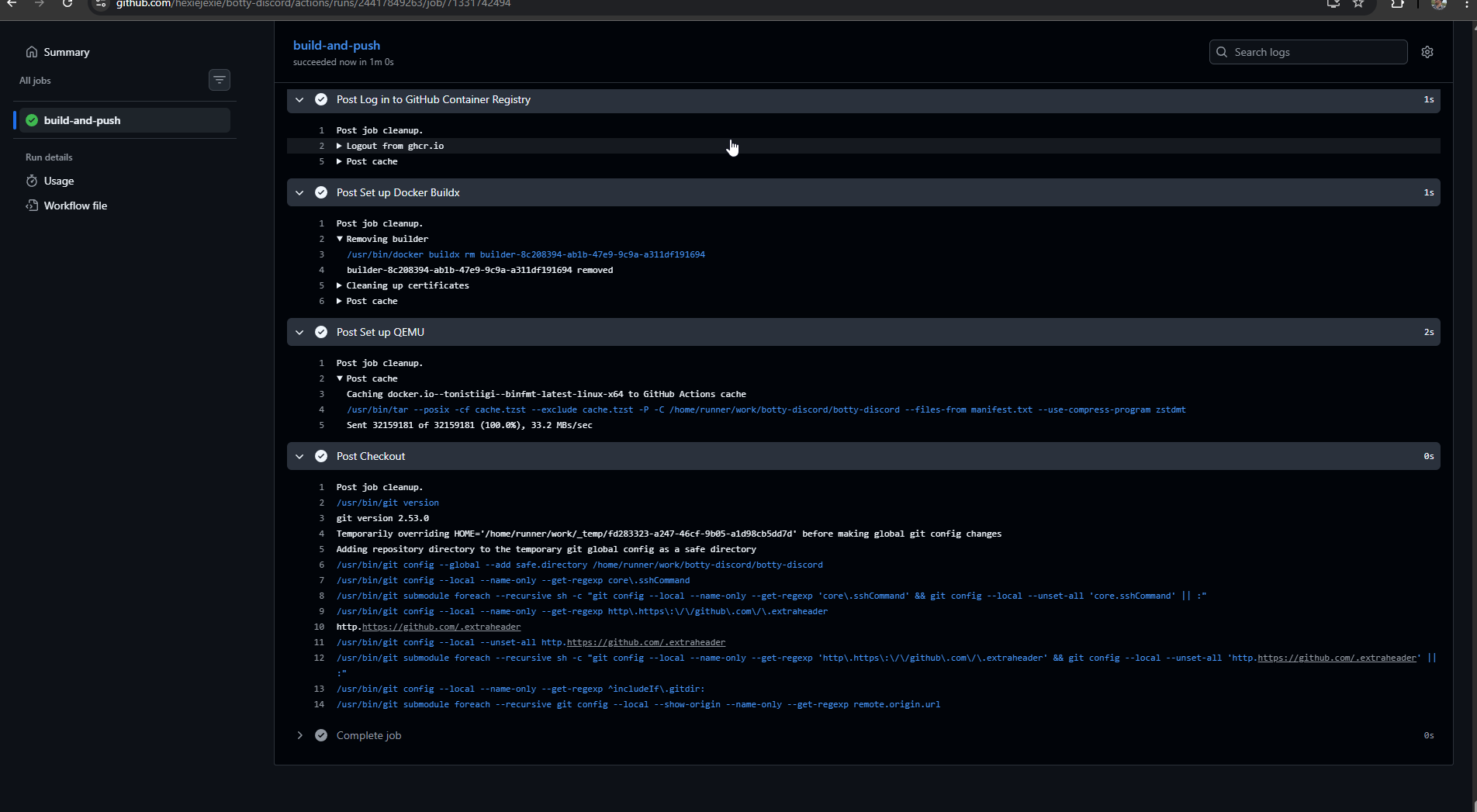
The GitHub Actions workflow at .github/workflows/docker-publish.yml builds and publishes the image on every push to main and on every semver tag (v1.2.3). The triggers map to different tag strategies:
- Push to
mainproduces:main,:main-<sha>, and:latest. This is my daily iteration loop. - A pull request produces a local build but does not push. Catches breakage before merge without polluting the registry.
- A semver tag like
v0.1.0produces:0.1.0,:0.1,:0, and:latest. Semver tags are what I cut as "real releases," and they give downstream consumers (which is just me on my Proxmox host, but still) the ability to pin to any level of specificity. If I want to always have the latest patch of 0.1, I pin:0.1. If I want exactly 0.1.0 forever, I pin:0.1.0. If I want whatever is newest and I trust myself, I pin:latest.
All of this tag logic is handled by docker/metadata-action, which is the Docker team's official helper action for exactly this problem. Without it, the workflow would be a pile of bash with a lot of if [[ $GITHUB_REF == ... ]]. With it, the tag generation is four lines of configuration and the action figures out the rest from the event context. It is one of those tools you do not appreciate until you have written the bash version by hand once.
The build targets both linux/amd64 and linux/arm64. My Proxmox host is amd64 so I do not strictly need arm64, but the marginal cost is about a minute of extra build time (QEMU handles the emulation) and having multi-arch images signals "this was built properly." It would also let me run the bot on a Pi or an ARM cloud VM if I ever wanted to, with no changes.
I also enabled three supply-chain-hygiene features that cost almost nothing and make the project look significantly more serious on the GHCR page: provenance attestations, SBOM generation, and layer caching via GitHub Actions cache. Provenance creates a cryptographic record of how the image was built and which commit it came from. SBOM is a full list of every package in the image, scannable by security tools. Attestations sign the image with GitHub's OIDC identity so you can verify it was actually built by this repo's workflow. For a personal bot none of this matters in any real sense. But it takes about six lines of YAML, and the resulting GHCR page shows little shield badges that say "verified build," which is exactly the kind of thing a hiring manager notices without noticing. Cheap signal.
One decision I want to call out specifically: I am using GitHub-hosted runners, not a self-hosted runner on my homelab. GitHub-hosted runners are free for public repos with no minute cap, they are closer to GHCR's network than my Proxmox node is, and they do not wear out my SSD. A self-hosted runner would buy me nothing for this workload and would introduce a real concern about executing arbitrary code from pull requests. I have deployed a self-hosted runner, but for a job that actually needs homelab access, like Ansible runs against my infra. Not for something as generic as a Docker build.
The workflow also has a second job that creates a GitHub release when a semver tag is pushed, using softprops/action-gh-release. It runs after the build job, only on tags, and uses GitHub's auto-generated release notes, which pulls commit messages and PR titles into a formatted changelog. The net effect is that git tag v0.2.0 && git push --tags now produces, in one shot: a multi-arch Docker image tagged four ways on GHCR, a GitHub release with an auto-generated changelog linking back to the relevant commits, and a green "release v0.2.0" badge on the readme. That is the release flow I wanted, and it took about 90 lines of YAML to get it.
the last 10%
A few things that are not strictly interesting but that made the project feel finished.
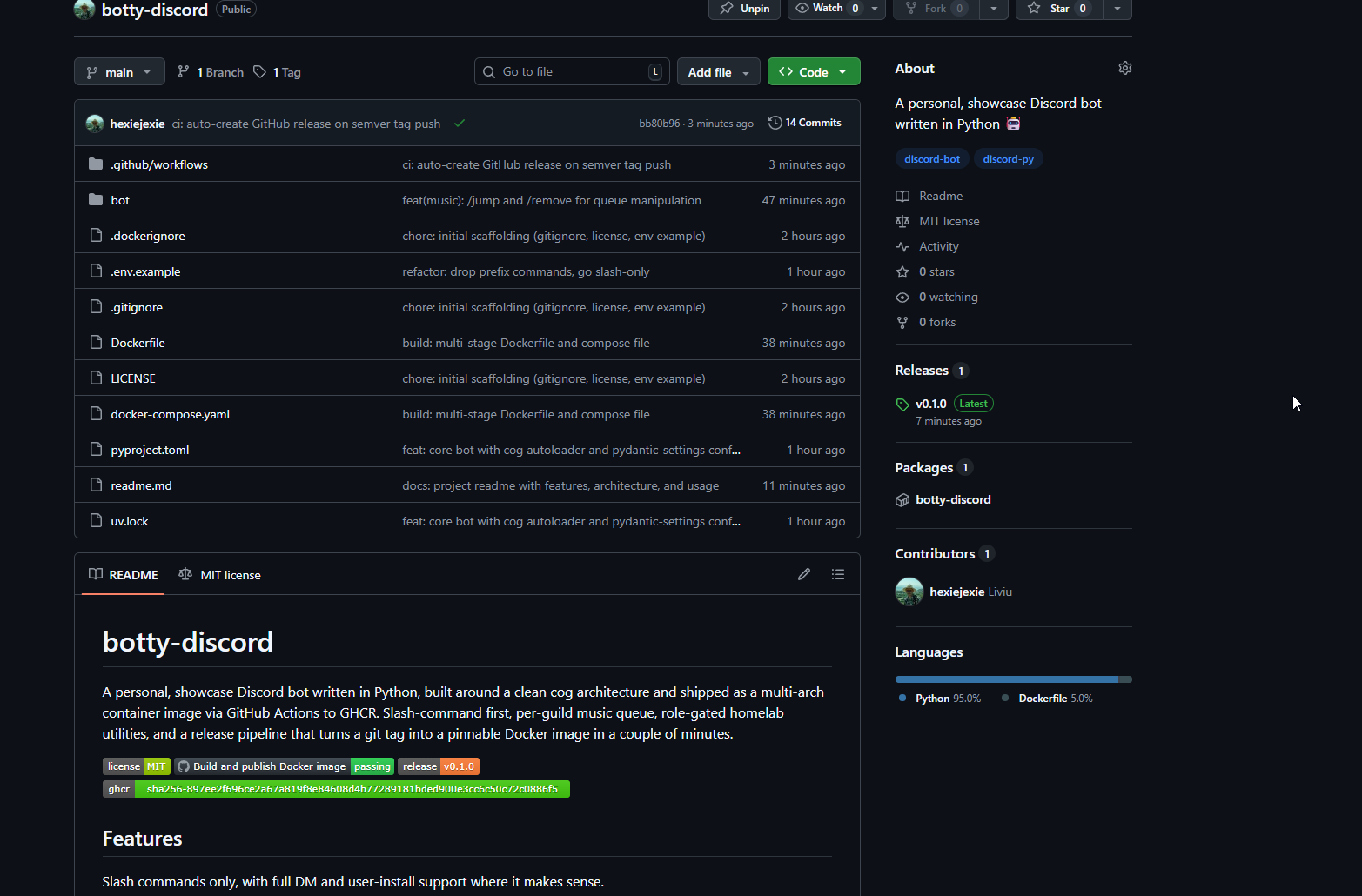
The readme. A real readme, not a stub. It has badges at the top (license, build status, latest release, latest GHCR tag), a features section grouped by category, an architecture section that explains the cog model and the justifications for the key decisions, a configuration table, install instructions for both local development and Docker, a CI section that documents the trigger-to-tag mapping, and a roadmap. Nothing in it is particularly clever, but the combination of "it exists and it is accurate and it covers the things you want to know" is a surprisingly large chunk of what makes a repo feel professional.
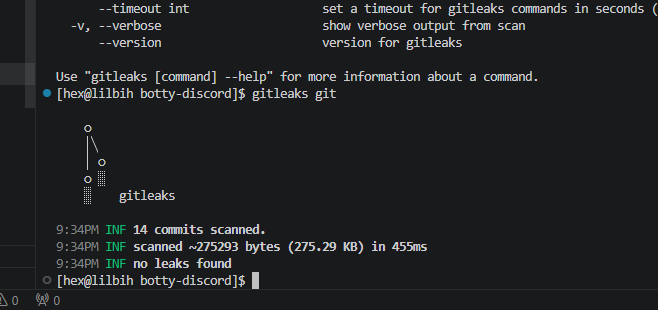
A gitleaks scan over the full history before going public. gitleaks is a secret scanner: you point it at a git repo and it scans every commit, ever, for anything that looks like an API key, token, private key, or other secret. I ran it before pushing and it came back clean. Given that the whole project started from a fresh git init, this was expected, but it is still a good habit. If I had imported any old code or copy-pasted from anywhere, it would have caught me.
And the realization, halfway through, that tags and releases are not the same thing on GitHub. A git tag is a pointer to a commit. A GitHub release is a separate object layered on top of a tag, with a title and release notes, and it is what shields.io's release badge reads from. I pushed v0.1.0 as a tag, saw the image build correctly, and then wondered why the release badge on my readme still said "no releases or repo not found."
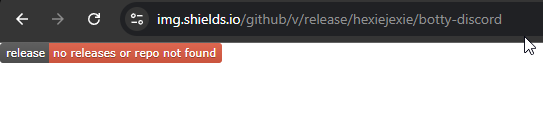
This is obvious in retrospect and a bit embarrassing, but it is also the kind of thing that is easier to learn by hitting it than by reading about it. That is what the auto-release job in the workflow is for: now every future tag will also be a real release without me having to remember.
what v0.2.0 will be
I left the bot/web/ directory empty on purpose. The next version is going to be a FastAPI-based status dashboard that runs in the same process as the bot, serving a minimal HTML status page and a Prometheus metrics endpoint on a separate port. The goals are modest: uptime, connected guilds, per-guild queue state, command invocation counters, voice connection status. Same-process, not a sidecar container, so the web server can read bot state directly without IPC.
I explicitly decided not to build a Discord-OAuth-backed control panel. That is a whole product in itself and not what this project is about. A status page that I can scrape with Prometheus and point Homepage at is enough, and it fits the rest of my homelab observability story, which runs on the same stack.
It will also give the CI pipeline something meaningful to ship in a second tagged release, which is honestly part of the point. v0.1.0 is "the scaffolding works." v0.2.0 will be "the scaffolding is being used."
thoughts
The whole rebuild took about four hours of focused work across one evening. The bot itself, including all five cogs, is maybe 700 lines. The rest of the time went into the Dockerfile, the Actions workflow, debugging slash command propagation (Discord's global command sync is genuinely slow the first time, which can look like a bug), getting the release-on-tag automation right, and writing the readme.
That ratio is itself a lesson. The difference between "a thing that works on my machine" and "a thing that looks and behaves like a real project" is almost entirely infrastructure around the code, not the code itself. I have known this abstractly for years from reading other people's posts. It hits differently when you are the one doing it on your own project.
The repo is at github.com/hexiejexie/botty-discord. The image is at ghcr.io/hexiejexie/botty-discord:latest. The bot is called botty. It is not trying to be clever, its just my lil bot! 😸